How can I get my thermal printer to work with the vendor portal?
You can indeed print barcodes with your thermal printer — but you’ll have to use your printer’s software to generate them, rather than Quail. Unfortunately Quail doesn’t directly support thermal printers.
To do this you can enter your barcodes into Quail then when you want to print them select the Code List template.

Once selected, you can validate and “print” (download) the file from Quail.
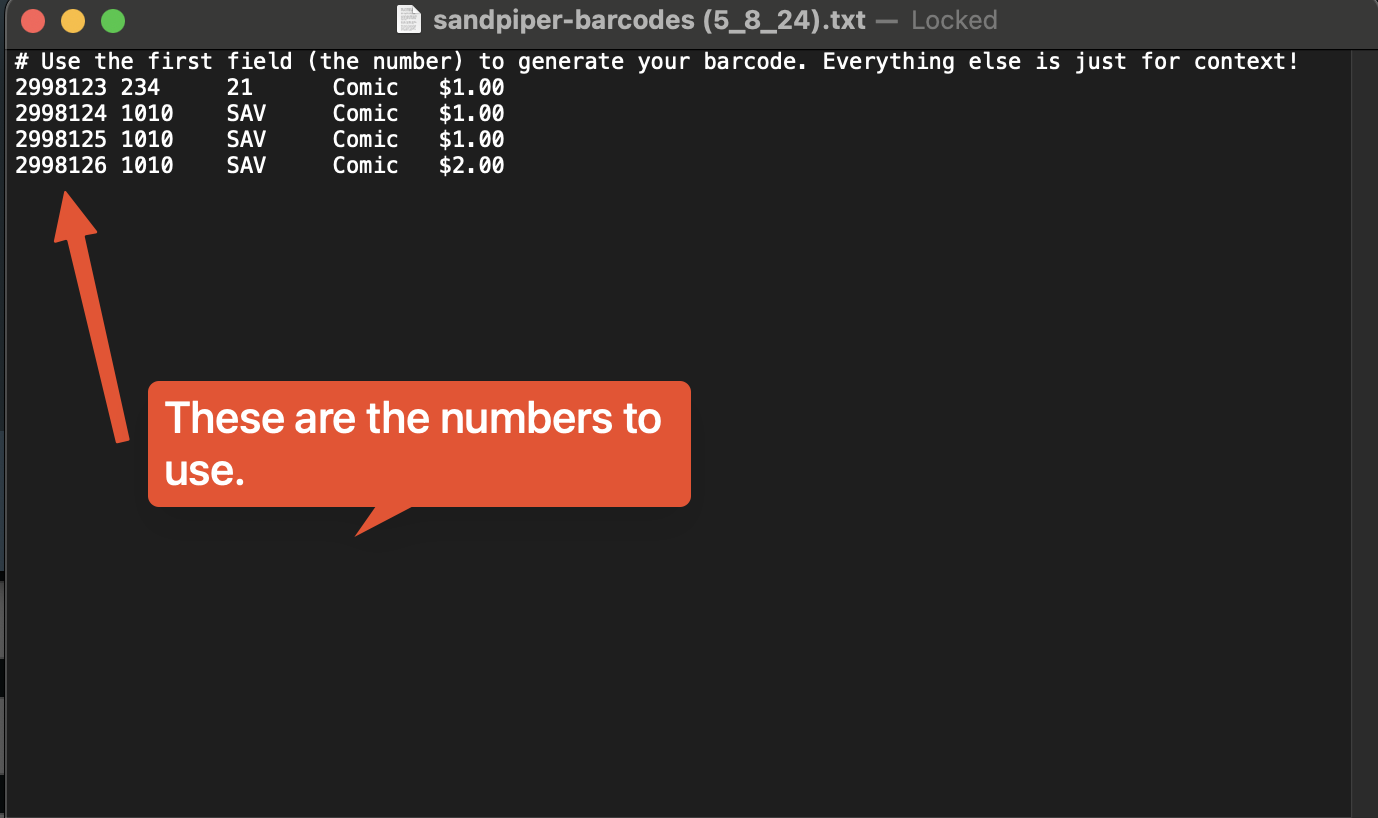
This will download a plain text file with one line per item.
Put the first number in each line into your label printer’s software and have it generate a barcode from that number:
After that your store will be able to scan the resulting barcodes into Quail to ring up sales to your booth.
This can be a bit much for some users. However, we do have an easier solution! Our app for power vendors, Sandpiper (https://sandpiperhq.com/), does support printing directly from a thermal printer. You may want give it a try if this is a bit too much or your printer doesn’t have software to easily generate barcodes.