Why aren't my sheets printing correctly?
Typically the main cause for barcodes not printing correctly is alignment. There are numerous settings that can effect this, but the biggest one is scale. Any Fit To (browsers have different names for these) setting needs to be off. These are typically called something like Fit To Page or something along those lines. Any “Fit to” is going to shrink or expand the barcode labels, which is going to make them not print correctly and possibly make them not scannable at the store.
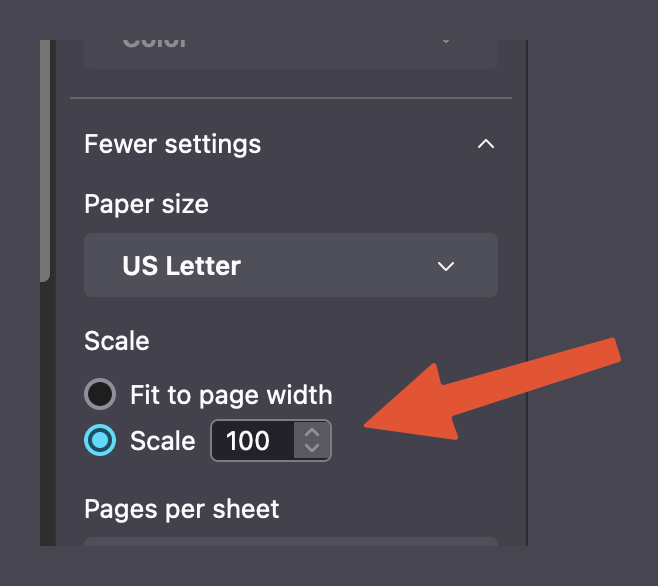
In some browsers you will need to also set the scale to 100%. This will force the printer to print onto the sheet without adjusting the print, which is what you’ll need with label sheets. Finally there needs to be no margins (if possible). Some browsers will allow you to set this and some don’t (this primarily depends on the printer’s drivers). So if there is an option to change this, select None if possible.
If you’re still having issues with getting the labels aligned, Avery provides some tips to help align labels here: https://www.avery.com/help/article/not-printing-correctly-print-is-shrunk-misalignment-too-low-on-page-too-high
Finally, you may need to search the internet for your exact printer model and see if others are having issues with printing labels and what they suggest as a fix. Unfortunately, there are some printer models that are just difficult (or impossible) to use for label printing.